Giveaway AI prompts for kitchen design: modern, two-tone, dark, small-galley and more. Each names cabinets, materials, light, and camera so the render reads real.
A good kitchen prompt names five things: the layout, the cabinets and countertops, the materials and finishes, the lighting, and the camera. Get those right and an AI render reads like a real kitchen instead of a generic one. The biggest lift, though, is your starting point which is render from a photo of your actual kitchen (or a model view) so the layout stays true, then let the prompt drive materials, color, and light.
Below are nine copy-paste kitchen prompts covering the most-requested styles, each written to be specific enough to guide the render. Paste one, apply it to a photo of your kitchen in Spacely AI, and adjust from there. If one element comes out wrong, fix that with Point & Edit rather than regenerating the whole scene.
What makes a good kitchen prompt?
Specificity, in five parts. Name the layout (galley, L-shaped, island), the cabinets and counters, the materials and colors, the light direction and time of day, and the camera angle. A vague prompt gives a generic kitchen; a specific one gives yours.
| Element | Vague (reads generic) | Specific (reads real) |
|---|
| Cabinets | "nice cabinets" | "flat-front walnut lower cabinets, matte white uppers" |
| Counters & backsplash | "good countertops" | "honed white marble counters, zellige tile backsplash" |
| Color | "modern colors" | "sage-green cabinets, brass hardware, warm white walls" |
| Light | "bright kitchen" | "soft morning light from a window over the sink" |
| Camera | — | "eye-level, wide-angle interior photography" |
Which kitchen prompts can you copy and paste?
Pick the style closest to your kitchen and adjust the materials to taste.
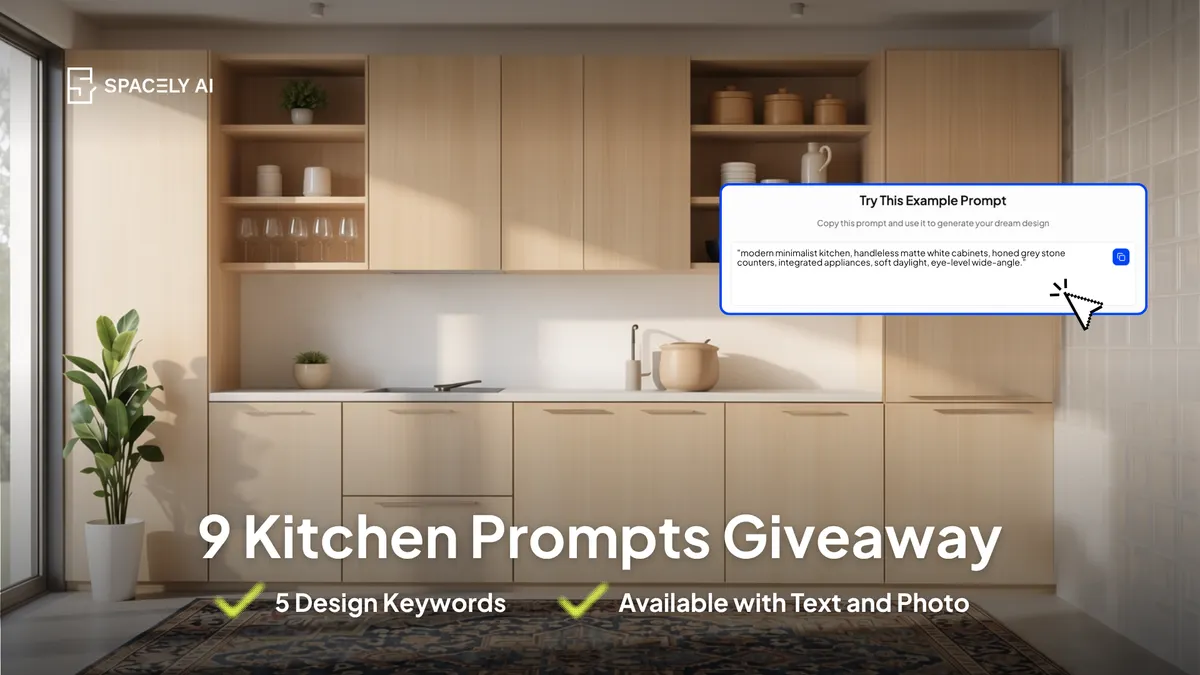
- Modern minimal:
"modern minimalist kitchen, handleless matte white cabinets, honed grey stone counters, integrated appliances, soft daylight, eye-level wide-angle."
- Warm Scandinavian:
"Scandinavian kitchen, light oak cabinets, white counters, open shelving, wool runner, bright natural light."
- Two-tone cabinets:
"two-tone kitchen, deep navy lower cabinets, warm white uppers, brass hardware, white marble counters, morning light."
- Dark and moody:
"moody kitchen, matte charcoal cabinets, black stone counters, brass fixtures, warm pendant light, evening."
- Classic white shaker:
"classic white shaker kitchen, marble counters, subway tile backsplash, brushed nickel hardware, bright daylight."
- Industrial:
"industrial kitchen, black metal shelving, concrete counters, exposed brick, wood open shelves, directional light."
- Small galley:
"small galley kitchen, light cabinets, reflective backsplash, under-cabinet lighting, bright even light, wide-angle to open the space."
- Island focus:
"kitchen with a large island, waterfall stone counter, three pendant lights above, contrasting island colour, soft daylight."
- Open-plan kitchen-living:
"open-plan kitchen opening to a living area, cohesive palette, island with seating, warm afternoon light, wide-angle."
How do you refine a kitchen render after generating?
Fix locally, don't restart. If the cabinet color is off or the backsplash reads wrong, use Point & Edit on that element and leave the rest. If the whole image is flat, add a light direction and time of day and regenerate the base. Sharpen the final image with Enhance Quality 4K once the content is right. Working from your own kitchen photo keeps the layout accurate through all of it.
FAQ
How do I write an AI prompt for a kitchen? Name five things: the layout, the cabinets and counters, the materials and colours, the light direction and time of day, and the camera angle. Use specific materials ("honed marble," "walnut") rather than "nice finishes," and start from a photo of your actual kitchen so the layout stays accurate.
Can AI redesign my existing kitchen from a photo? Yes. Upload a photo of your kitchen to Spacely AI, apply one of the prompts above, and it restyles the actual space. The free plan includes trial credits to start.
More design insights on the Spacely AI blog →
Get started
→ Create your free account
→ Watch the full tutorial on YouTube
→ Explore the member plan
For more information and media inquiries, please contact
Website: spacely.ai
Facebook: facebook.com/spacelyai
Instagram: instagram.com/spacely.ai
Email: [email protected]