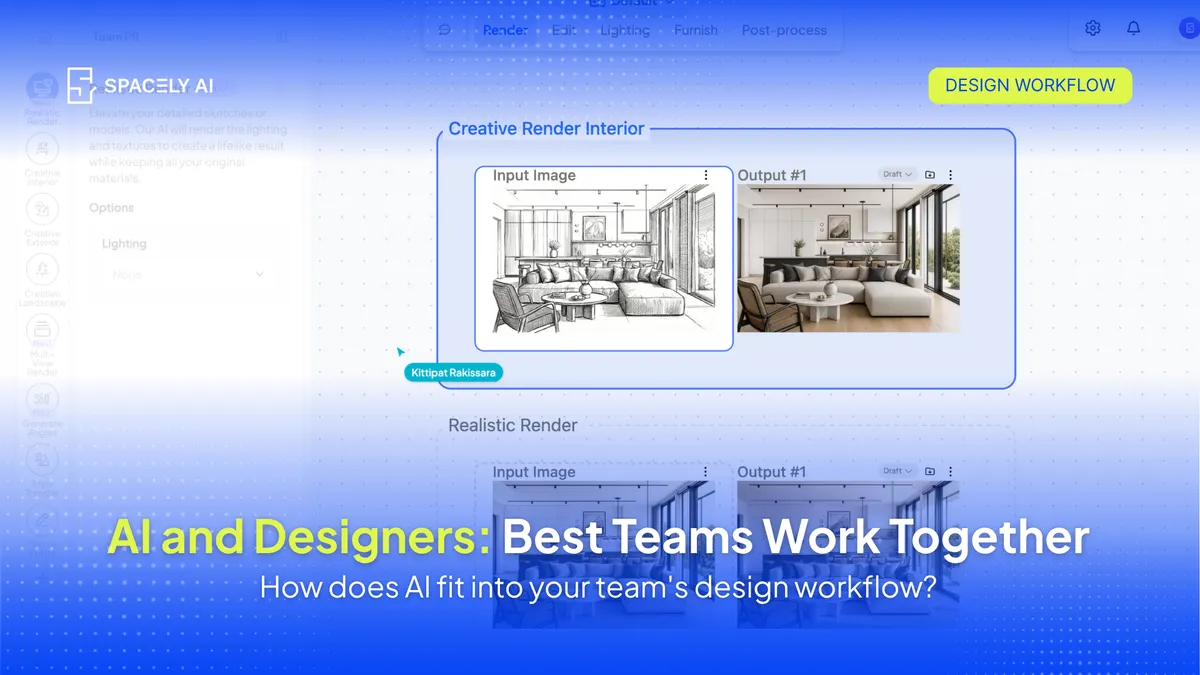
The best design teams don't see AI as a replacement; they see it as a collaborator. Here's how designers and AI divide the work so each does what it's best at.
The best design treat AI as a collaborator that handles the repetitive execution so designers can spend more of their time on judgment, taste, and clients. The division is straightforward once you see it: AI is fast at generating options, rendering, and iterating; designers are the ones who understand the brief, make the spatial and aesthetic calls, and read what a client actually needs.
Teams that get the most from AI simply draw that line clearly; AI carries the speed at the concept and visualization stages, and people keep the direction and the final decision. This isn't just a comfortable stance, either; it's how the profession itself sees it. Most practices now use AI in some form, while the overwhelming majority reject the idea of AI standing in for professional judgment.
In other words, the working consensus among designers is already "AI with us," not "AI instead of us." Below: why the "AI vs designer" framing is the wrong one, how the best teams split the work, and how to build a workflow where each does what it's best at. Spacely AI is built for that partnership. It renders and iterates from your own work while the decisions stay yours.
Is AI replacing designers?
No and it's worth being clear about why, because the fear behind that question shapes how teams adopt AI. What AI actually does is shift where a designer's time goes. The slow, repetitive production work; waiting on renders, redoing variations, grinding out options, shrinks, and the time that opens up goes to the parts of the job that need a person: interpreting a brief, making design decisions, and building the client relationship. The profession's own view reflects this.
Adoption has climbed sharply, yet designers and architects overwhelmingly say AI can't substitute for professional judgment. A tool that speeds up execution isn't a replacement for the person who decides what's worth executing. The teams that thrive with AI understand that distinction and build around it, rather than either fearing the tool or over-trusting it.
What is AI good at, and what are designers good at?
They're strong at almost opposite things, which is exactly why they work well together.
- AI is fast, tireless, and good at volume: generating many directions, rendering them, and iterating on materials and palettes in minutes.
- Designers bring what AI can't: an understanding of the brief and its constraints, the spatial and aesthetic judgment to know what works in a real space, the taste to curate the right option from many, and the relationship to understand what a client actually wants versus what they said.
The magic isn't in either one alone; it's in pairing AI's speed with a designer's judgment.
| AI is fast at |
Designers are irreplaceable at |
| Generating many options quickly |
Understanding the brief and its constraints |
| Rendering and visualizing |
Spatial and aesthetic judgment |
| Iterating on materials and palettes |
Curating, knowing which option is right |
| Repetitive production work |
Reading what the client actually needs |
| Producing draft concepts |
The final decision and the accountability for it |
How do the best teams work with AI?
They let AI explore, and they decide. In practice, the pattern looks like this: a designer sets the direction from the brief, AI generates and renders a range of options quickly, and the designer curates — choosing, refining, and shaping what's actually good.
AI is the tool for the early, exploratory, high-volume stages; the designer is the one who applies taste and judgment to the results and carries the client through them. The best teams also keep AI on the right side of the line: it handles execution and iteration, not the decisions. That way the speed compounds without the work losing the human judgment that makes it worth presenting.
How do you build a workflow where AI and designers work together?
Define the line, keep people in control, and protect the client relationship. Decide where AI fits: concept, iteration, and visualization; and keep documentation and technical accuracy in your usual tools. Use AI to explore options, not to make the call; the designer curates and decides.
Start from your own work so the output reflects your actual design rather than a generic one, which keeps the designer in the driver's seat. And keep the client relationship firmly human — AI can produce the visuals, but the trust, the reading of the room, and the guidance are the designer's.
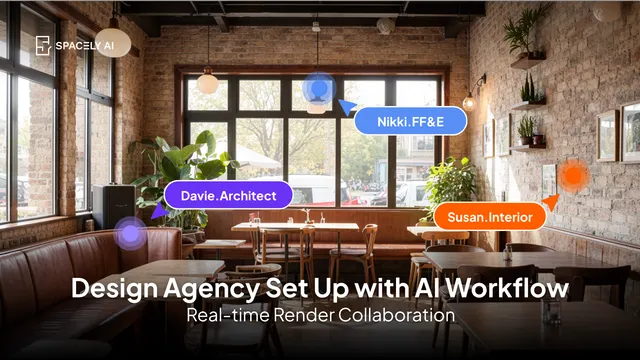
For teams, a shared workspace helps everyone work this way consistently; Spacely AI's Team plan keeps projects, presets, and roles in one place while the judgment stays with your people. The goal isn't to hand the work to AI, it's to free your designers to spend more time on the parts only they can do.
FAQ
Will AI replace designers?
No. AI speeds up the repetitive execution work, generating options, rendering, iterating, but it doesn't replace the judgment, taste, and client understanding that define a designer's job. The profession reflects this: adoption is high, yet the large majority of designers and architects reject AI as a substitute for professional judgment. It shifts where a designer's time goes, rather than replacing them.
How do designers actually use AI in their work?
Mostly at the early and visualization stages: exploring many concepts quickly, rendering them, and iterating on materials and palettes. While the designer sets the direction, curates the results, makes the decisions, and manages the client. AI handles speed and volume; the designer applies judgment and taste.
How do you keep creative control when using AI?
Start from your own work so the output reflects your actual design, use AI to explore options rather than to decide, and keep the final call and the client relationship with you. Spacely AI renders and iterates from your model or photo while the direction stays yours, so the tool supports your decisions instead of making them.
More real estate insights on the Spacely AI blog →
Get started
→ Create your free account
→ Watch the full tutorial on YouTube
→ Explore the member plan
For more information and media inquiries, please contact
Website: spacely.ai
Facebook: facebook.com/spacelyai
Instagram: instagram.com/spacely.ai
Email: [email protected]