A beginner's guide to writing AI prompts for 3D renders: the five-part structure that works for interiors, buildings, and products, with examples and tips.
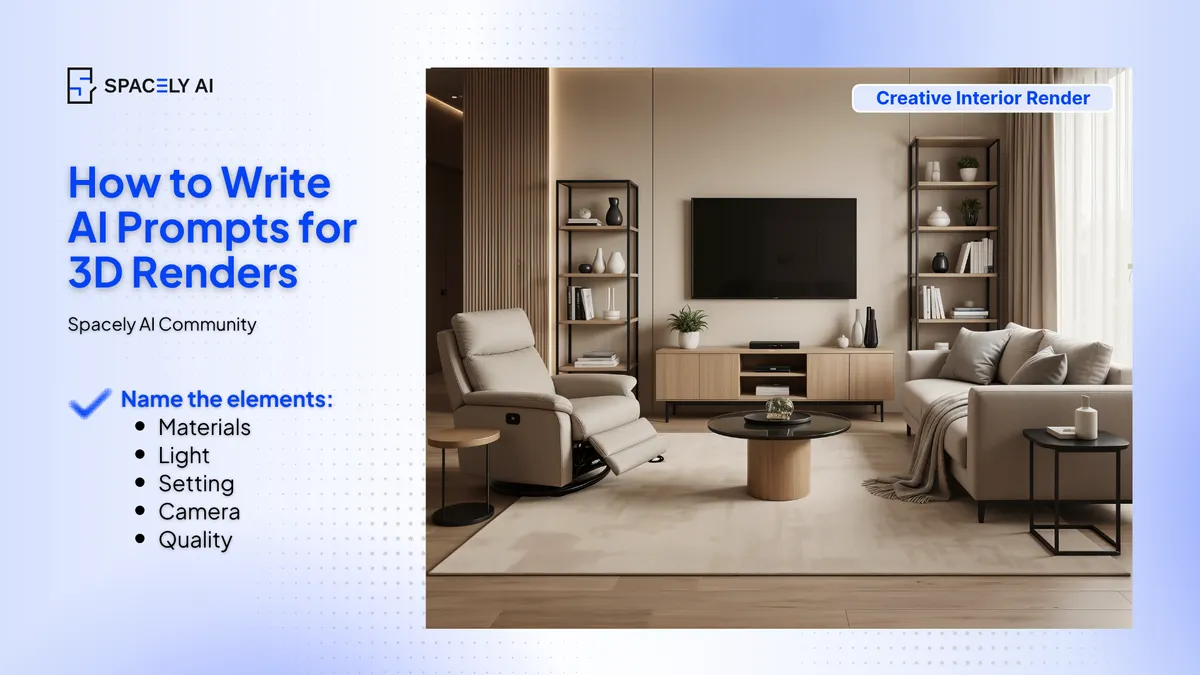
A 3D render prompt works when it names five things: the subject or scene, the materials, the light, the setting, and the camera. For a professional look, a render-quality cue like "photorealistic." That structure holds whether you're rendering an interior, a building, or a product. The single biggest factor, though, is where you start: render from a view of your own model or a real photo so the geometry and proportions are true, then let the prompt drive the finish.
Vague prompts give generic results; specific ones give you your design. Below is the five-part structure, a vague-versus-specific comparison, and a few habits that make prompts work from day one.
What goes into a 3D render prompt?
Five parts, in plain language. Name the subject (what the scene is), the materials (specifically), the light (a direction and time of day), the setting (surroundings or context), and the camera (angle and lens). Add a quality cue like "photorealistic, high detail" so the AI aims for a professional render rather than a sketch. Keep it to a sentence or two, enough to steer the result, not so much that the ideas compete.
| Element | Vague (generic) | Specific (reads real) |
|---|
| Materials | "nice finishes" | "walnut, honed marble, brushed brass" |
| Light | "bright" | "soft morning light from the left" |
| Setting | — | "in a calm, minimal room / landscaped street" |
| Camera | "nice angle" | "eye-level, wide-angle photography" |
| Quality | — | "photorealistic, high detail" |
What are the beginner tips for better prompts?
Be specific, start from your model, and iterate. Four habits carry most of the result.
- Start from your own model view or a photo, so the render sits on real geometry.
- Be specific about materials and light. If you can picture exactly what the prompt describes, the AI can too.
- Keep each prompt to one clear direction rather than cramming in competing ideas.
- And treat the first result as a draft: refine it, and fix one element with a local edit rather than regenerating the whole scene.
If you'd rather not write from scratch, start from a preset and add a prompt for the details.
The bottom line
Writing a 3D render prompt is a repeatable skill: name the subject, materials, light, setting, and camera, add a quality cue, and start from your own model or photo. Be specific, keep it focused, and refine rather than restart. Get those basics down and you'll get render-quality images in about a minute, whatever you're designing.
FAQ
How do you write a prompt for a 3D render? Name five things: the subject, the materials, the light, the setting, and the camera. And add a quality cue like "photorealistic." Use specific materials rather than "nice finishes," and start from a view of your own model or a photo so the proportions are accurate.
Why do my AI renders look generic? Usually the prompt names a style but no specifics, or it started from a text prompt alone instead of your model. Name real materials, a clear light direction, and a camera angle, and render from your own geometry so the result reflects your design.
Do I need to start from a 3D model? It helps a lot, starting from a model view or a real photo keeps the proportions true. You can prompt from text alone for quick exploration, but for a render that reflects your actual space or building, start from your own model or photo.
More design workflow insights on the Spacely AI blog →
Get started
→ Create your free account
→ Watch the full tutorial on YouTube
→ Explore the member plan
For more information and media inquiries, please contact
Website: spacely.ai
Facebook: facebook.com/spacelyai
Instagram: instagram.com/spacely.ai
Email: [email protected]