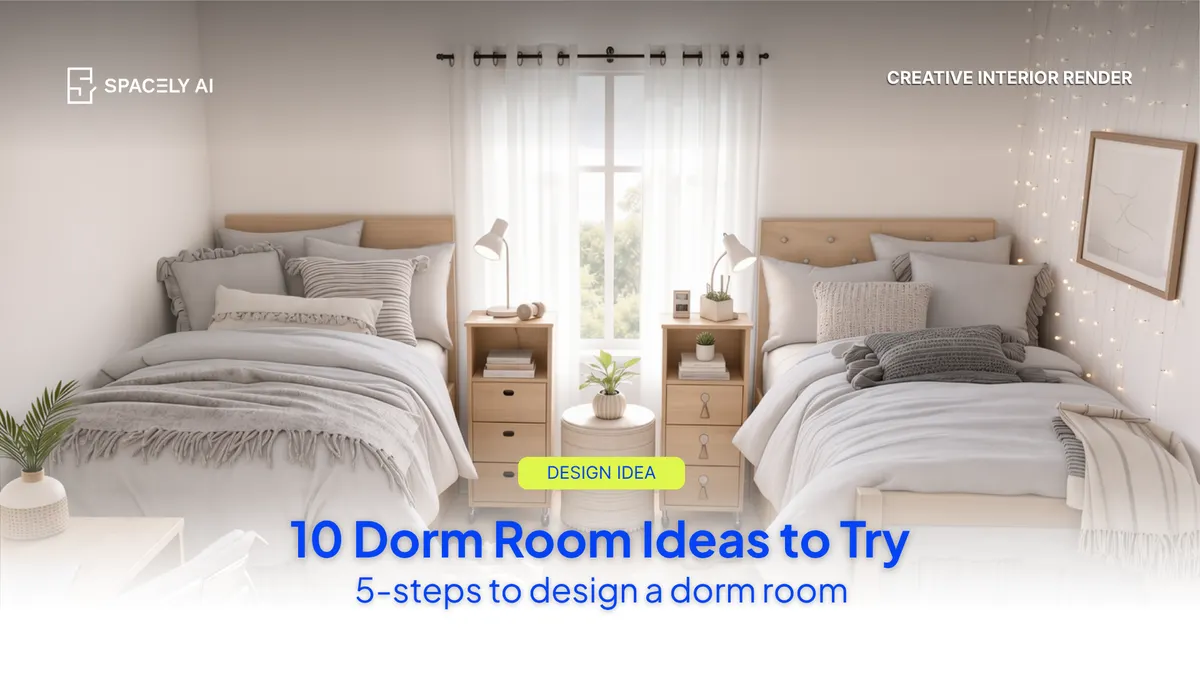
Ten dorm room ideas — loft beds, study corners, removable gallery walls — and how to test each on your real room with AI before you buy.
The best dorm room ideas all share one trait: they earn their space twice. A loft bed is also a desk nook. A rug is also a room divider. A storage ottoman is also a seat. Below are ten ideas that work in a tiny shared room — and the trick is you can test every one of them on your actual room before spending a dollar. Upload a photo to Spacely AI, pick an idea, and see it furnished in about 60 seconds.
Each of these is small-room-proven, and each is easy to visualize with AI before you commit:
- Loft the bed.
- Build a study-first corner.
- Define your half with a rug.
- Removable gallery wall.
- Go vertical with plants.
- Layer two light sources.
- Storage that doubles as furniture.
- One bold personality piece.
- Mirror the roommate layout.
- Test a whole vibe from a reference.
Test a whole vibe from a reference. Drop in a Pinterest image and transfer its mood to your real room in Spacely AI Creative Interior Render.
How do you design a dorm room from a photo or plan, step by step?
The output depends on your input. A clear photo or accurate dimensions gives the sharpest render.
- Start from the room. Use a photo if you have one (move-in tours, the housing portal).
- Pick a direction. Minimal, cozy, study-first — or upload a reference image to transfer the mood.
- Generate. Auto Furnish returns furnished options in about 60 seconds.
- Edit specifics. Use Point & Edit to swap a desk or change the bedding without restarting the whole render.
- Share it. Send the layout to your roommate so you split what to bring before you arrive.
Which ideas fit which dorm?
| If your room is… | Try this idea first |
|---|
| Tight on floor space | Loft the bed; build under it |
| A shared double | Rug to define halves + mirrored layout |
| All bare walls | Removable gallery wall + vertical plants |
| Dim, one window | Two light sources + reflective surfaces |
| You can't drill or paint | Command-strip decor and free-standing storage only |
FAQ
Can I design a dorm room from just a photo? Yes. A clear, well-lit photo — or the room's dimensions — is enough. Spacely AI returns furnished, photorealistic dorm layouts in about 60 seconds, so you can test ideas against the real space before buying.
Is there a free way to plan a dorm room? You can start free. Spacely AI offers trial credits with no credit card, enough to try several dorm layouts and styles. It's a fast way to decide on a direction before the August shopping rush.
More design insights on the Spacely AI blog →
Get started
→ Create your free account
→ Watch the full tutorial on YouTube
→ Explore the full toolkit
For more information and media inquiries, please contact
Website: spacely.ai
Facebook: facebook.com/spacelyai
Instagram: instagram.com/spacely.ai
Email: [email protected]