Design Glossaries
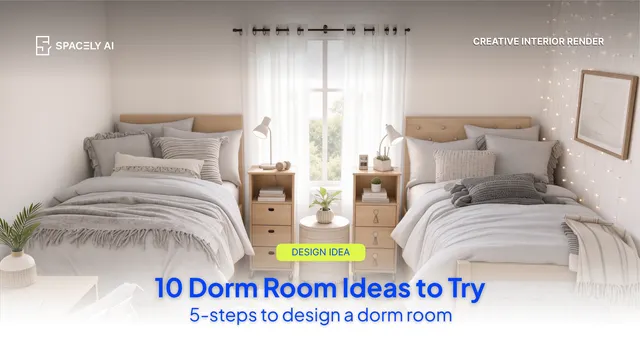
Dorm Room Ideas You Can Try With AI
Ten dorm room ideas — loft beds, study corners, removable gallery walls — and how to test each on your real room with AI before you buy. The best dorm room ide…
Paphada Vasinsittisuk2 min read
Spacely AI vs D5 Render for concept work: generative AI speed vs real-time control. An honest comparison of where each fits, with pricing and a clear verdict.
For concept work specifically, Spacely AI and D5 Render solve different halves of the problem; and the honest answer is that generative AI fits the concept stage better, while D5 excels once a design needs a controlled, polished, or animated render.
Both are strong; they just sit at different points in the process. For rapid ideation and early client-facing concepts, the generative approach is quicker. For a detailed, controlled presentation render, D5 is built for it.
D5 Render is a real-time renderer for architects and designers, with live-sync plugins for SketchUp, Revit, Rhino, ArchiCAD, 3ds Max, and Blender. Its strengths are photorealistic quality, full manual control over materials, lighting, and camera, animations and VR tours, and a large built-in asset library. Reviewers consistently praise its speed-to-quality and its live link to modeling tools. The main trade-offs: it runs on Windows and needs a dedicated NVIDIA GPU, and setting up a scene takes real time before you get a polished frame.
Spacely AI is a generative AI platform that renders from a photo or model view. Its strengths are speed (a concept image in about a minute), fast iteration across many style options, local edits with Point & Edit, restyling with Style Transfer, a minimal learning curve, and running in the cloud, including mobile, with no GPU required. The trade-off is the flip side of its strength: it's built for concept and presentation imagery, not for animated walkthroughs or pixel-level manual control of every material.
| Dimension | Spacely AI | D5 Render |
|---|---|---|
| Approach | Generative AI from a view or photo | Real-time GPU ray/path tracing |
| Best stage | Concept, ideation, early client options | Design development to final presentation |
| Speed to first image | ~1 minute via prompt | Real-time once the scene is set up |
| Control | Prompt, then steer and correct | Full manual material, light, and camera control |
| Animation / VR | Not the focus | Strong (video, walkthroughs, VR tours) |
| Hardware | Cloud; runs anywhere, incl. mobile | Windows + dedicated NVIDIA GPU |
| Learning curve | Minimal | Gentle, but scene setup takes time |
| Starting point | A photo or a model view | Your imported 3D model |
| Pricing | Free plan ($0, 30 credits); paid tiers [pricing updating] | Free Community (watermark, 1080p); Pro about $38/mo or $360/yr |
Pricing shifts often for both — confirm current rates on each vendor's page. D5's paid tiers unlock its full asset library, higher resolutions, animation formats, and VR export.
Match the tool to what "concept" means for you. If concept work means exploring many looks quickly, testing materials and mood, and getting early options in front of a client — often from a photo or a rough model, without heavy hardware Spacely AI is the faster fit.
If your concept has to arrive as a controlled, high-fidelity render, or as a walkthrough animation, and you have the Windows GPU to run it, D5 is the stronger choice. And plenty of practices use both, which is the pattern neutral reviewers describe: generative AI for concept-phase speed and rapid client feedback, then a real-time engine like D5 for polished final deliverables and animation. They complement each other more than they compete.
Is Spacely AI or D5 Render better for concept design?
For fast concept exploration and early client options, Spacely AI is generally the quicker fit — it generates a concept image from a photo or model view in about a minute, with no special hardware. D5 Render is better when the concept must become a controlled, high-fidelity, or animated render and you have a Windows machine with a dedicated GPU.
Can I use both Spacely AI and D5 Render together?
Yes, and many practices do. A common workflow is to explore concepts and gather early client feedback with generative AI, then move the chosen direction into a real-time engine like D5 for polished final renders and walkthrough animations. They fit different stages of the same process.
More design insights on the Spacely AI blog →
→ Watch the full tutorial on YouTube
For more information and media inquiries, please contact
Website: spacely.ai
Facebook: facebook.com/spacelyai
Instagram: instagram.com/spacely.ai
Email: [email protected]
Ten dorm room ideas — loft beds, study corners, removable gallery walls — and how to test each on your real room with AI before you buy. The best dorm room ide…
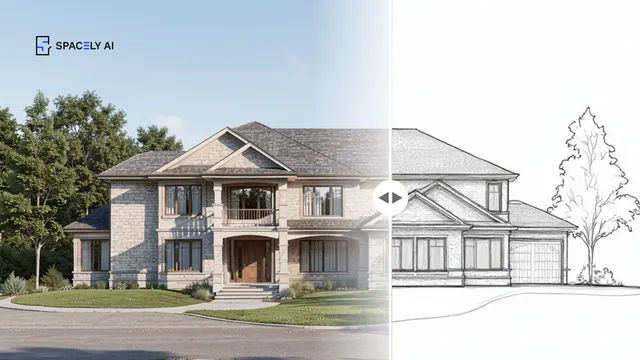
How to fold AI concept rendering into a CAD workflow; where it fits, the model-to-render loop, and how to keep your CAD file the source of truth. AI concept re…

With AI tools everywhere, how do you pick one that fits your work? Six criteria: control, integration, accuracy, ownership, cost, and trust, to choose well. Wi…