Spacely AI is built by a team that designs, so it answers the real pain points: slow rendering, endless revisions, losing control, and forced tool switching.
Spacely AI is built by a team that designs, which is why it's shaped around the parts of the job designers actually find painful, not around a list of features. Four problems come up again and again in design work: rendering takes too long, client revisions never end, AI tools risk distorting the design, and every new tool wants you to switch away from the software you already use.
Spacely AI answers each one directly. It renders from your own model view in about a minute, fixes details without a full restart, keeps your geometry untouched while you steer the result, and plugs into the programs you already work in. The premise is simple: solve the friction designers feel, and let the design judgment stay with the designer.
The pain is documented, not assumed. Traditional architectural renders can take days to produce, revision requests are near-universal, and most architects say AI visuals still need close oversight. Below are the four pain points, what the research shows about each, and how Spacely AI is built to answer them.
What is Spacely AI, and who built it?
Spacely AI is a generative AI platform for spatial design, used by more than 580,000 people across 50+ countries. It was built by designers, and that origin shapes the product: the goal isn't to automate the designer out of the process, but to remove the parts of the work that slow good designers down. Every feature maps to a real moment in a designer's day — the render that's due tomorrow, the client who wants one more change, the model you can't risk breaking, the tool your firm has standardized on.
The four designer pain points and how Spacely AI answers each
1. Rendering takes too long. Traditional architectural visualization can take anywhere from two to ten working days per project, depending on complexity. That's a poor fit for concept-stage exploration, where you need to see many options quickly. Spacely AI renders from your model view in seconds, so exploration happens at the speed of thinking rather than the speed of a render queue.
2. Client revisions never end. Most of those rounds exist because clients evaluate options days after a meeting. Spacely AI's Point & Edit fixes a specific element without regenerating the scene, and edits are fast enough to make live in the room, so the revision loop shrinks instead of dragging across weeks.
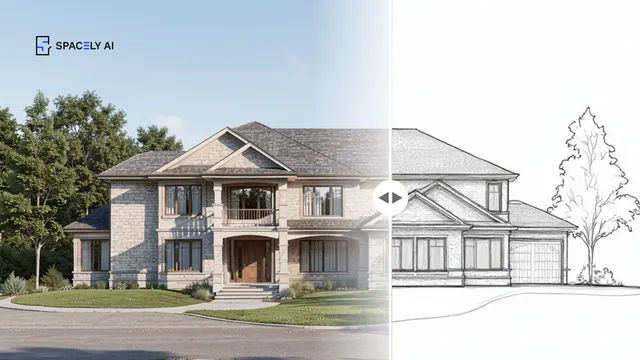
3. Losing control of the design. This is the concern that keeps careful designers away from AI. Spacely AI is built for that stance, you start from your own model, the render comes back as a separate image, and your geometry is never edited. You steer with Auto Edit and Style Transfer; the direction stays yours.
4. Being forced to switch tools. No single design tool wins the whole workflow, so teams juggle several — and lack of integration between rendering and modeling software is one of the most cited workflow frustrations. Spacely AI meets you where you work with extensions, live for SketchUp and Rhino, with AutoCAD and Revit coming, so you render from your existing model instead of rebuilding it elsewhere.
Spacely AI is built by designers because the problems worth solving are the ones designers actually feel: slow rendering, endless revisions, losing control, and being pushed off your own tools. The answer to each is deliberate: render fast from your own model, correct without restarting, keep your geometry and your judgment intact, and work inside the software you've already chosen. That's the concept in one line — remove the friction, keep the design ownership.
Get started
→ Create your free account
→ Watch the full tutorial on YouTube
→ Explore the member plan
For more information and media inquiries, please contact
Website: spacely.ai
Facebook: facebook.com/spacelyai
Instagram: instagram.com/spacely.ai
Email: [email protected]